


Sweet Camera Selfie
4.667.00 Reviews
App Specs
- Version
- 3.1.0
- Updated On
- License
- Free
- Downloads
- 1,000,000+
- Developer
- Galaxy studio apps
- Categories
- Beauty
- Platform
- Android, iOS
Screenshots
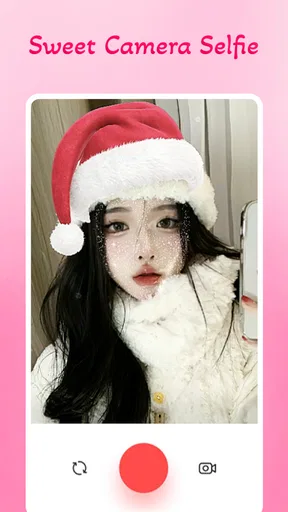
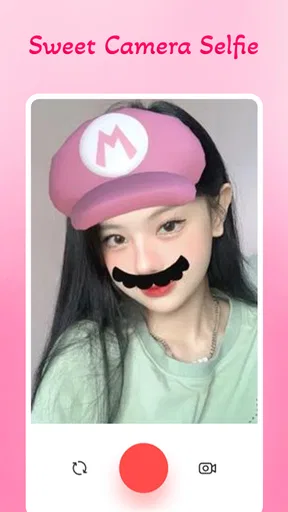
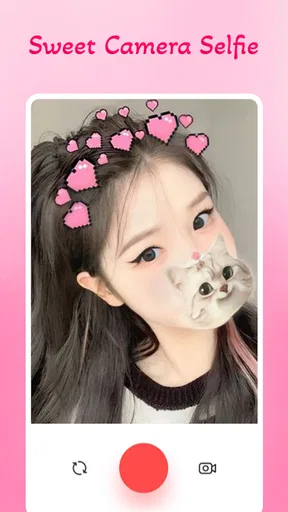
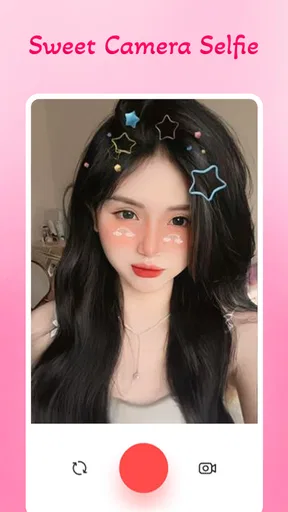
 Analysis by AppCompare
Ever find yourself scrolling through your camera roll, wishing your selfies had that extra pop? Well, let me introduce you to Sweet Camera Selfie. This app is like having a personal glam squad in your pocket, ready to elevate your selfie game to new heights.
What to expect from a selfie-focused camera
I’d approach this as a light, playful tool for changing the mood of a selfie rather than as a full photography studio. The app’s beauty focus and cute, feminine effect are its clearest appeal: it is aimed at people who want to experiment with a more polished or stylized look without first learning a complicated editing workflow. If you usually take a quick portrait and want to see how a filter changes it, that is the sort of small, immediate task this app is suited to.
That focus also helps set expectations. A beauty camera is not a replacement for a general-purpose camera when I want precise control over exposure, color, or composition, and it is not the same as a dedicated editor built for detailed retouching. I would pick this app when the fun of trying a different look matters more than fine-grained control. If I am photographing a landscape, documenting something for work, or trying to preserve accurate colors, my phone’s regular camera is the more sensible starting point.
As a beauty app from Galaxy studio apps, it has attracted an average rating of 4.6 from around 18,000 ratings and has passed one million installs. Those figures suggest that plenty of people are interested in this kind of casual selfie experience, but they do not tell me whether its style will suit every face or taste. I would treat the effects as options to play with, not as a promise that every result will look natural.
First Impressions
Right off the bat, Sweet Camera Selfie greets you with a user-friendly interface that’s as welcoming as a cozy coffee shop. The app is sleek, intuitive, and doesn’t overwhelm you with too many buttons or options. It’s got that perfect balance where you feel in control, but not lost.
After a quick download and installation, I was snapping away within minutes. The onboarding process is as smooth as your favorite playlist on a Sunday morning, guiding you through all the essential features. I was impressed by how seamless it was to get started.
A simple first setup that keeps the goal in view
For a first-time user, I would keep the opening session uncomplicated: install the app, look around the camera screen, and try one effect before changing several things at once. That makes it easier to tell what a filter actually contributes. If the first result looks too strong, switch to another style rather than trying to compensate with a long chain of edits. The useful question is not “How many options can I apply?” but “Does this still look like the kind of photo I wanted?”
Worth Reading Before You Choose

Flipboard Shows What News Apps Must Do Beyond the Feed

Switching to Android Auto Means Rethinking Your Driving Routine

Google Calendar Makes a Crowded Week Easier to Manage

Ludo King Makes the Most of the Minutes Between Plans

Baby Panda World Brings Quick Play to Modern Phones, but Its Game Library Feels Busy

ESPN’s Live Game View Makes Following Close Games Easier
The app is free to download, is rated for Everyone, and its current version is 3.1.0, with Android 5.0 as the minimum operating system. Those details make it straightforward to judge whether it is a practical fit for an older Android phone, while the Everyone rating indicates that its content is intended for a broad audience. There are in-app purchases, ranging from $0.99 to $99.99 per item, so I would pay attention to any purchase prompts and make sure I understand what I am choosing before confirming anything. The basic decision is easy: try the free app first, then decide whether anything beyond that is worthwhile for your own use.
Features That Shine
What truly sets this app apart are the features designed to make every selfie shine. Let’s dive into some of the highlights:
- Beauty Filters: This is where the magic happens. With a variety of filters that cater to every mood and style, you can enhance your photos without losing that natural look. It’s like having a professional photographer on standby.
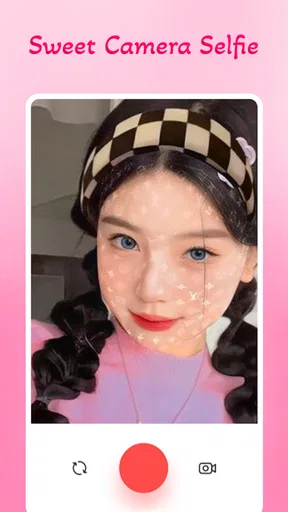
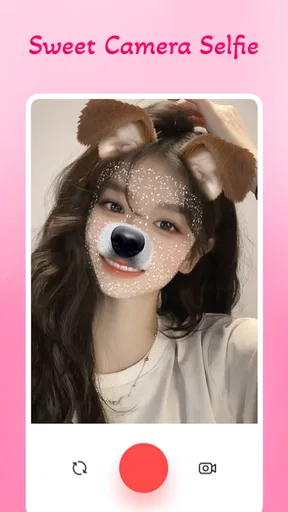
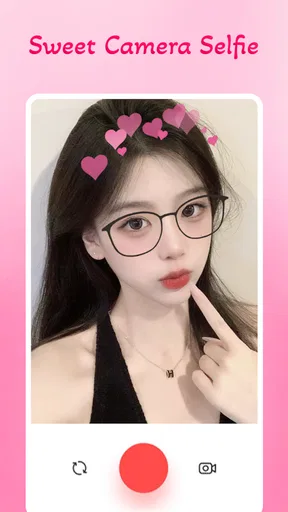
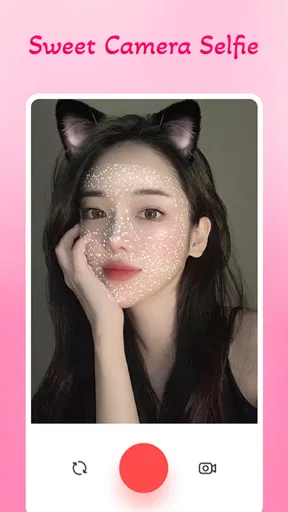
- Real-Time Effects: Previewing effects in real-time is a game-changer. You can see exactly how your photo will look before you even snap it. This feature is perfect for those moments when you’re in a rush but still want that perfect shot.
- Sticker Fun: Who doesn’t love a good sticker? From cute to quirky, the app offers a wide range of stickers to spice up your selfies. It’s a fun way to add personality and flair to your photos.
Getting a first result you actually want to keep
For the first meaningful try, I’d choose a place with steady, flattering light and hold the phone at a comfortable angle before testing effects. Good light gives a beauty filter a better starting point; it also makes it easier to judge whether an effect is helping or simply changing the whole image. I would take a couple of versions with different looks, then compare them side by side rather than trusting the most dramatic preview. That small pause is useful because a filter that looks lively on screen can feel overdone once the photo is viewed later.
A practical everyday use is getting ready to send a quick selfie to a friend before heading out. I can open the camera, preview a cute effect, take the picture, and choose the version that still feels like me. For a profile image, I would be more selective: keep the look restrained, check that the face remains clear at a smaller size, and avoid covering important details with stickers. For a playful group chat image, by contrast, a more obvious effect or sticker can be exactly the point.
One non-obvious tip is to decide on the purpose of the photo before choosing an effect. A selfie meant for a casual message can be expressive and silly; a picture I may reuse as a profile image benefits from a simpler treatment. Another is to make only one noticeable change at a time. If I switch the filter and add a sticker together, it becomes harder to tell which choice improved the result. This is a quick way to learn what suits you without turning a two-minute photo into a drawn-out editing session.
Edit Like a Pro
Once you’ve snapped your pic, the editing options allow you to fine-tune your masterpiece. The app offers everything from basic adjustments like brightness and contrast to more advanced edits like skin smoothing and blemish removal. It’s all there, and it's intuitive enough for beginners while still offering depth for those who want to dive deeper.
One of my favorite features is the one-touch enhancement. It’s perfect for those days when you want to look your best but don’t have time for a full edit. Just one tap and your selfie is ready to dazzle.
Where the easy workflow can feel limiting
The quick, effect-led approach is convenient, but it is not the best fit for every editing job. When I need precise control over a particular detail, a dedicated photo editor is usually a better choice than relying on an automatic enhancement. One-touch processing can save time, yet it also means accepting the app’s overall interpretation of the image. I would use it as a starting point and inspect the result rather than assume that a single tap is right for every lighting condition or skin tone.
There is a similar trade-off with beauty effects: the stronger the change, the more important it is to check that the image still feels believable to you. I would avoid judging only by the live preview, especially if I am taking a photo in dim or uneven light. If the result makes facial details look unnatural, I would switch to a lighter treatment or use the original photo instead. The point of a selfie is personal expression, and “more edited” is not automatically “better.”
Compared with the usual alternatives, this app appears best for someone who wants a dedicated selfie experience with playful effects close at hand. A phone’s built-in camera is simpler for everyday photography and avoids adding another editing step. A general photo editor is a stronger option when the priority is careful adjustments across many kinds of images. I would choose this app for quick beauty-focused experiments, but I would not make it my only camera or editor if I regularly work with product photos, travel shots, or images that need exact color and detail.
Sharing is Caring
What’s a great selfie if you can’t share it with the world? Sweet Camera Selfie makes it super easy to post directly to your favorite social media platforms. The integration is seamless, and the app optimizes your photos for each platform’s requirements. No more worrying about cropping or resizing!
Before posting, I would still take a moment to check the final crop and make sure the image says what I want it to say. A photo that looks balanced in a camera preview can feel different in a small social feed, particularly if a sticker or effect draws attention away from the face. If I am sharing a casual picture, that may be fine; if it is meant to represent me professionally, I would choose a simpler look and inspect the finished image first.
Common points to consider before using it often
People often wonder whether a selfie app like this is useful if they are not confident at editing. I think the appeal is precisely that it keeps the process approachable: trying a filter and checking the result does not require much practice. The better habit is to make small comparisons and keep the original style in mind, rather than assume that every image needs an enhancement.
Another reasonable question is whether it can replace a phone camera. I would not treat it as a universal replacement. Its beauty-centered purpose makes it more appealing for portraits and playful self-images than for ordinary snapshots, and the standard camera is still a dependable choice when I want a plain, unfiltered photo. Someone who rarely takes selfies may find that the built-in camera already does enough.
It is also worth thinking about cost before exploring every option. The download is free, but in-app purchases are available, so I would not tap through a payment screen without checking the item and price carefully. If I only want to try the basic experience, I can start without making a purchase. That makes it easier to decide based on actual use instead of feeling committed before I know whether the effects suit me.
Why Sweet Camera Selfie Stands Out
There are tons of selfie apps out there, but this one genuinely stands out. Its balance of simplicity and powerful features makes it a must-have for anyone looking to improve their selfie game. It’s not just about filters and edits; it’s about creating photos that express who you are.
Moreover, the app is regularly updated with new features and improvements, ensuring it stays fresh and relevant. The developers clearly listen to their users, which is always a big plus in my book.
I would recommend it most to someone who enjoys testing cute looks, wants a low-pressure way to add personality to a portrait, or takes selfies often enough to appreciate a camera focused on that purpose. I would suggest skipping it if you want a strictly natural camera, detailed manual controls, or one tool for every kind of photography. It also may not be worth adding to your routine if you take selfies only occasionally and are already happy with your phone’s camera.
In conclusion, Sweet Camera Selfie is more than just another app on your phone; it’s a gateway to better photos and more confidence in front of the camera. Whether you’re a selfie aficionado or just someone who wants to look great in photos, this app is worth a download. Go ahead, give it a try, and watch your selfies transform from ordinary to extraordinary!
Pros
- User-friendly interface for easy navigation.
- Wide variety of filters and effects.
- Real-time beauty enhancements available.
- High-quality output for both photos and videos.
- Quick sharing options to social media.
Cons
- Contains in-app purchase options.
- Ads may interrupt usage occasionally.
- Some features require internet access.
- Limited free filters without subscription.
- May consume significant battery life.
FAQs for Sweet Camera Selfie
What features does Sweet Camera Selfie offer for enhancing photos?
Sweet Camera Selfie provides a variety of features designed to enhance your photos effortlessly. Users can enjoy advanced editing tools such as filters, stickers, and beauty effects. The app also includes real-time effects, allowing you to see the changes before you capture the image. With options for brightness, contrast, and saturation adjustments, Sweet Camera Selfie ensures your photos are always Instagram-ready.
Is Sweet Camera Selfie free to use, or are there in-app purchases?
Sweet Camera Selfie is free to download and use, offering a range of features without any cost. However, it does include optional in-app purchases for additional filters and effects. These premium features can enhance your photo-editing experience, but the free version is robust enough for casual users. Be sure to check the app's store page for detailed pricing information.
Does Sweet Camera Selfie require an internet connection to function?
Sweet Camera Selfie is designed to work both online and offline. While an internet connection is necessary for downloading new filters and updates, you can use the core features without any connectivity. This makes it convenient for users who want to edit photos on-the-go without worrying about data usage.
What are the system requirements for installing Sweet Camera Selfie?
To install Sweet Camera Selfie, your device should be running Android 5.0 or iOS 10.0 and above. The app is optimized for both smartphones and tablets. Ensure you have enough storage space, as photo-editing apps can be resource-intensive. Regular updates might also require additional space to accommodate new features and improvements.
How does Sweet Camera Selfie handle user privacy and data security?
Sweet Camera Selfie takes user privacy seriously, implementing standard security measures to protect your data. The app requests access to your camera and photo gallery, which is necessary for its functionality. It does not store your photos on external servers. Always review the app’s privacy policy to understand how your data is handled and ensure it aligns with your comfort level.


